

AI
Design Engineering
Personal Project
Readability & Fun Widget in Framer
A component that adds visitor-controlled readability features like text sizing, adaptive color tone, cursor trail, and celebration effects.

Kingsley Anagbuo
Websites are not experienced in exactly the same way by every visitor. Text that feels comfortable to one person may feel too small to another. Motion that adds energy for one visitor may be distracting for someone else. Strong colors, decorative fonts, and subtle links can also become difficult to use in different lighting conditions or on different displays.
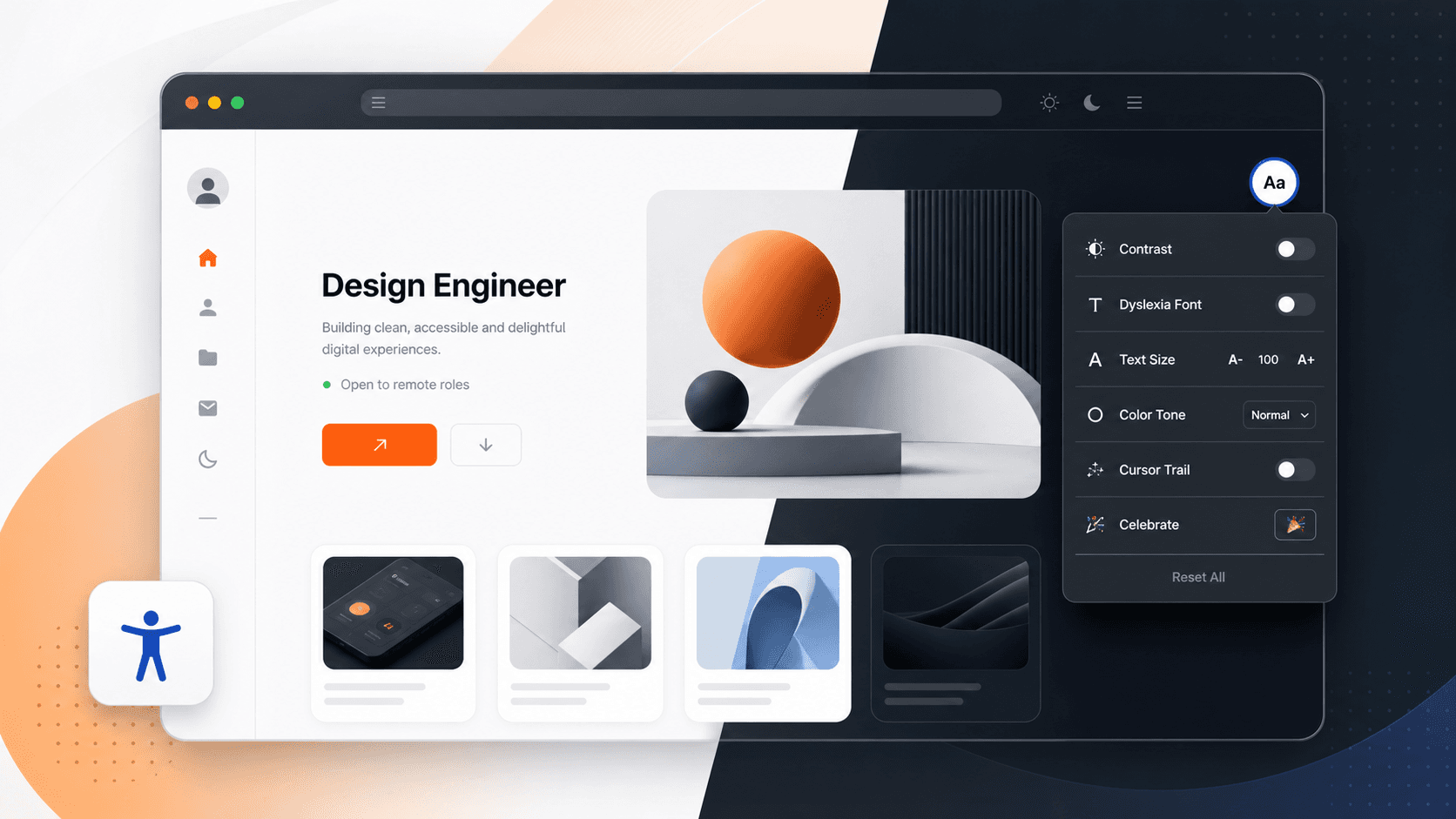
Readability & Fun is a customizable Framer component that gives visitors practical control over how they read and experience a website. It combines focused readability tools with optional playful effects, all inside one compact panel.
What the Component Does
Add one instance of Readability & Fun to a Framer website and visitors can adjust the page without opening browser settings or leaving the site.
The component includes:
A more readable font stack for visitors who prefer simpler letterforms.
Text resizing from 80% to 140%.
Increased letter, word, and line spacing.
Reduced motion for animations and transitions.
A reading guide that follows the pointer across the page.
Warm, cool, monochrome, and normal color tones.
A configurable Eye Comfort shield with a warm tint, lower saturation, and reduced brightness.
An optional cursor trail.
A celebration effect for playful moments.
Persistent preferences using local browser storage.
One-click reset.
Website creators can show or hide every individual feature from Framer's property controls.
Designed for Keyboard and Pointer Use
The component is not limited to mouse interaction. Visitors can open the panel, move through controls with Tab, and close it with Escape. Keyboard focus remains trapped inside the open dialog and returns to the launcher after closing.
The panel also closes when a visitor clicks outside it. Visible focus outlines make the currently selected control easier to identify.
Reduced Motion That Actively Pauses Movement
Reduced Motion does more than shorten CSS transitions. When enabled, it pauses active browser animations, watches for newly added animations, disables smooth scrolling, and pauses playing video or audio. When the visitor turns it off, the component resumes only the motion and media that it paused.
Persistent Visitor Preferences
Readability settings are saved in local storage. If a visitor increases the text size or enables reduced motion, those preferences remain available when the page is refreshed.
Reset All removes the active preferences and restores the website's original presentation.
Light and Dark Website Themes
The panel supports light, dark, and automatic appearance modes. Automatic mode checks the website's active theme classes, Framer theme attributes, and visible background color.
This allows the component to remain readable on websites that already include a light/dark theme switch.
Installing It in Framer
Open the Framer project.
Add the Readability & Fun component from Assets.
Place one instance on the site's shared layout or main page.
Choose the launcher position and offsets in the property panel.
Select an accent color that matches the website.
Choose Auto, Light, or Dark for the panel appearance.
Show or hide individual features.
Open Preview and test the component on desktop and mobile.
Publish the website.
Only one instance should be added to each rendered page.
Recommended Configuration
For most websites, start with:
Theme: Auto
Position: Top Right
X Offset: 24
Y Offset: 24
Readable Font: Shown
Text Size: Shown
Text Spacing: Shown
Reduce Motion: Shown
Reading Guide: Shown
Eye Comfort: Shown, with an adjustable tint and strength
Fun effects: Optional
On mobile, Bottom Right with 16 to 24 pixels of spacing usually avoids navigation bars and browser controls.
Accessibility Note
Readability & Fun is a visitor preference layer. It can improve comfort and usability, but no overlay or widget can make a website automatically compliant with WCAG or other accessibility standards.
The underlying website still needs semantic headings, keyboard-friendly navigation, meaningful link text, form labels, image alternative text, sufficient default contrast, logical focus order, and appropriate motion choices.
The component should complement good accessible design, not replace it.
A Practical Layer of Visitor Control
Readability & Fun helps Framer creators offer more flexible experiences without rebuilding every page or maintaining a separate accessibility settings system. Visitors receive meaningful reading controls, creators retain visual customization, and the optional playful features keep the component from feeling purely clinical.
Add it once, configure the features that fit the project, and give visitors more control over how they experience the website.